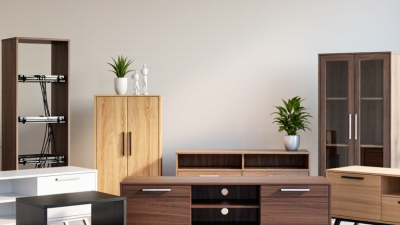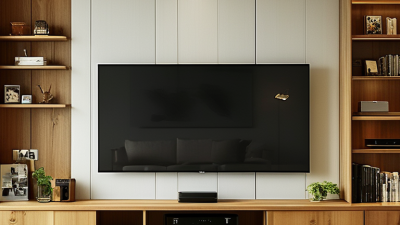
Choosing a Tv Stand in 2026 is no longer just about finding a shelf beneath the screen. It is about balancing room size, storage, cable access, and the way people actually watch television. Grand View Research valued the global home furniture market at approximately $220.4 billion in 2023, reflecting a broad market shaped by changing household needs. That figure covers furniture as a whole, not TV stands alone, so it should not be mistaken for a stand-specific forecast.
The 2024 Houzz & Home Study reported a median U.S. renovation spend of $24,000 in 2023. Those projects can change room layouts, viewing distances, and storage needs—details that influence whether a low media console, corner unit, wall-mounted cabinet, or fireplace stand fits best. Interior designer Nate Berkus has said, “Your home should tell the story of who you are, and be a collection of what you love.” It is useful advice for choosing a stand, though personal taste still has to share space with practical limits: a narrow walkway, a heavy television, or an unruly bundle of cables.
The options are not interchangeable. Some favor clean lines and open shelving; others conceal devices behind doors or make better use of a corner. Small differences matter. This guide compares the leading TV stand types for 2026 by function, style, and room fit. It also leaves room for an imperfect truth: the most attractive choice may not be the most convenient one.
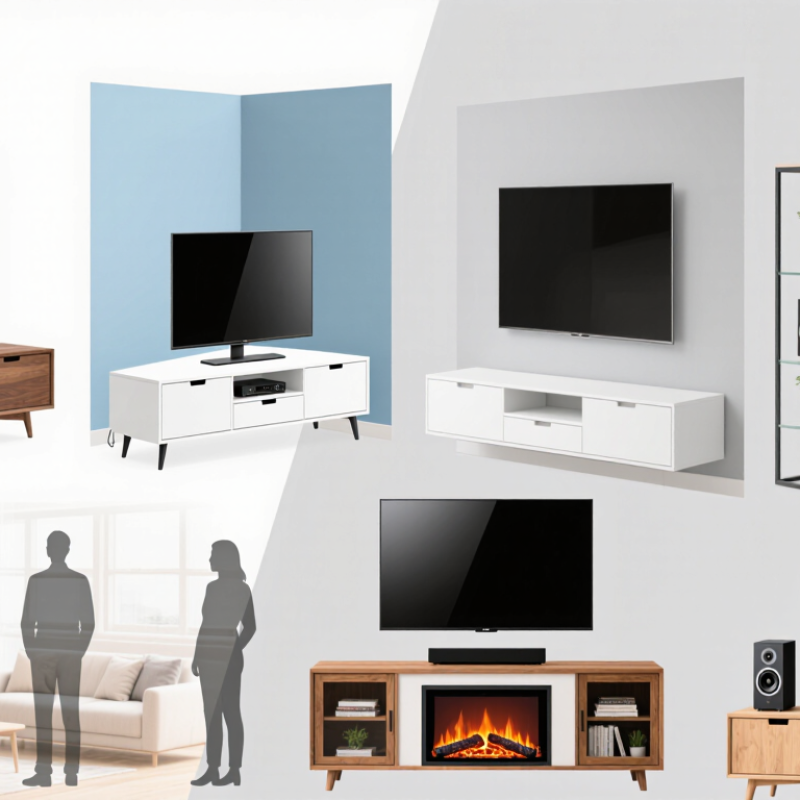
TV stands are easiest to compare by shape.
A long, low console suits a wide screen and offers room for a soundbar, game system, and baskets. Measure the screen and wall before choosing one; a console should not crowd doorways or block a heater. Compact rectangular stands work well in smaller rooms. Corner units have angled backs that fit snugly into a corner, though their shelves may feel cramped with larger equipment. That matters.
Mounting style changes both the look and the setup.
A traditional stand supports the television on its feet, so check that the top is deep and strong enough for them. A stand with an integrated mount lifts the screen above the furniture and may offer swivel adjustment. Confirm that its mount supports your screen’s size and weight. Wall-mounted floating consoles save floor space and keep cables less visible, but they need secure attachment to suitable wall structure.
“Floating” does not mean effortless.
Placement helps narrow the choices.
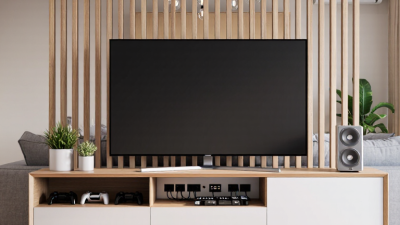
In open-plan rooms, a freestanding console can divide a space without fully closing it off. A corner stand can make an awkward layout more usable, while a mobile stand suits flexible rooms or frequent rearranging. Leave airflow around electronics and keep cords clear of walking paths. I would still measure twice; room diagrams often miss a radiator, baseboard, or the way a cabinet door swings.
What Are the Top TV Stand Types in 2026?
Compare Console, Corner, Floating, Pedestal, and Swivel Stands
A console stand suits a broad, open wall and offers room for a soundbar, game consoles, and baskets. Choose one wider than the TV’s feet, and check its weight rating. A corner stand can reclaim awkward floor space, but measure the wall angle and door clearance before buying. Small rooms punish guesswork. Nielsen’s July 2024 The Gauge report found streaming made up 41.4% of U.S. TV use, a reminder that viewing often spans varied content and setups. That figure does not prove one stand type works best; room layout still matters most.
Floating stands keep the floor clear and make vacuuming easier, but they need secure wall anchoring and careful cable planning. A pedestal stand has a compact footprint and works well when a wide console would crowd the room. Swivel stands help redirect the screen toward a sofa or dining table. Check the rotation range and stability, especially with larger TVs. The Consumer Technology Association’s 2024 industry forecast estimated U.S. consumer technology retail revenue at $512 billion, reflecting a broad market for connected home equipment—not a guarantee that any stand will fit your setup.
Before choosing, measure the screen, stand footprint, viewing distance, and route for cables. Picture a power cord running behind a cabinet, not just the polished showroom view. I once underestimated that detail; it mattered. Compare assembly instructions and wall or floor requirements, too. A useful stand is the one that fits your room safely, even if its style is not your first choice.
| Stand type | Typical design | Space and placement | Storage and cable management | Main advantages | Things to consider | Often a good fit for |
|---|---|---|---|---|---|---|
| Console | A low, wide cabinet or open-shelf unit designed to sit beneath a TV. | Needs a clear stretch of wall and floor space; width and depth vary by model. | Often offers shelves, drawers, or cabinets. Some models include openings for routing cables. | Provides a stable base and room for media devices, games, and accessories. | Measure the available area and check the top’s weight capacity, especially for larger TVs. | Living rooms where storage and a conventional TV setup are priorities. |
| Corner | A floor-standing unit shaped or angled to position a TV in a room corner. | Uses a corner rather than a full straight wall; check the unit’s depth and front width before buying. | Storage ranges from open shelves to enclosed cabinets. Cable features depend on the design. | Can make an otherwise underused corner a practical viewing location. | The TV’s viewing angle and stand footprint may limit placement; not every corner unit suits every screen size. | Smaller rooms or layouts where the TV is best positioned in a corner. |
| Floating | A wall-mounted shelf or cabinet that sits above the floor, often beneath a wall-mounted TV. | Keeps the floor clear but requires a suitable wall and secure installation into appropriate structural support. | May include shelves or concealed compartments; cables can be routed through openings or concealed separately. | Creates an uncluttered look and makes floor cleaning easier. | Installation, wall construction, mounting hardware, and load limits matter. It is not a freestanding stand. | Rooms where a clean, wall-mounted setup and clear floor space are desired. |
| Pedestal | A central column or base supports a TV, commonly using a compatible mounting plate or bracket. | Usually has a smaller footprint than a wide console, though the base still needs a stable, level surface. | Typically has little or no built-in storage; some designs provide cable routing through the column. | Can offer a simple, compact TV support without a wide cabinet. | Confirm TV size, weight, mounting-hole compatibility, and base stability; storage is often limited. | Minimal setups or rooms where a broad media cabinet is not needed. |
| Swivel | A stand or TV mount with a rotating joint or platform that lets the screen turn within a limited range. | May sit on furniture or attach to a compatible base or mount; allow clearance for the screen to turn. | Storage depends on whether it is paired with a console. Check that cables can move safely through the rotation range. | Makes it easier to adjust the viewing direction for different seats or viewing positions. | Rotation range, stability, supported screen size, and weight limits vary. Avoid pulling or turning the TV by its screen. | Open-plan rooms or seating arrangements where viewers need more than one viewing angle. |
Compatibility note: Before choosing any stand or mount, check the TV’s dimensions, weight, mounting pattern (if applicable), and the stand or mount’s stated limits. Product features and measurements vary by model.
What Are the Top TV Stand Types in 2026?
Popular options include tabletop swivel stands, pedestal floor stands, rolling carts, and wall mounts. For compact screens, the VESA MIS-D pattern is common. It uses four mounting holes arranged in a square, typically 75 × 75 mm or 100 × 100 mm. Measure from the center of one hole to the center of the next, not from the outer edges. A few millimeters matter.
Check the stand’s mounting plate before buying. Some plates fit both patterns; others only fit one. Match the hole spacing, then confirm the stand’s weight capacity and screen-size range. Also check the back of the display: recessed holes or a curved panel may need spacers approved by the display instructions. Screw length matters too. Screws that are too long can damage the display, while short ones may not hold securely. Don’t force them. A plate can appear compatible and still sit unevenly, so test the fit gently before tightening everything. Small detail. Easy to miss. A stable stand should keep the screen level without rocking when you lightly touch its edge.
What Are the Top TV Stand Types in 2026?
Choose Stand Width and Load Capacity Using TV Size and Weight
TV screen size is measured diagonally, but stand width depends on the television’s actual cabinet width. Check its dimensions rather than relying on a 55-inch or 65-inch label. A stand that extends beyond both sides gives the screen a balanced base and leaves room for its feet. Measure the feet, too. Some models have wide-set legs that sit close to the cabinet edges.
Check the TV’s weight in its specifications, then compare it with the stand’s maximum load rating. Leave a safety margin instead of treating that limit as a target. If a speaker or other device will sit on the same surface, include its weight. Keep heavier items centered, and make sure the stand’s top is flat and deep enough for the TV base. Small fit issues matter.
A wider cabinet is not automatically a better choice. It should also fit the room and leave clear space for cables and ventilation. For a tall or narrow stand, consider the TV’s stability and follow the stand’s assembly and anchoring instructions. Measurements can be slightly awkward, especially when feet angle outward, so check the real footprint before buying. A tape measure beats a guess.
Compare an estimated minimum stand width with a suggested minimum load rating. Width estimates assume a 16:9 TV and a stand at least 4 inches wider than the screen.
Choosing a stand: Console stands offer enclosed storage, open-frame stands provide accessible shelving, floating stands mount to a wall, and pedestal stands support the TV on a central base. The load ratings shown use representative TV weights with an approximate 1.5× allowance; actual TV weights vary. Check your TV’s specifications and the stand’s rated capacity, and follow installation requirements.
A TV stand can look solid and still wobble when a child pulls a drawer. In 2026, compare more than style: check the stand’s stated weight capacity, base width, and instructions for the television’s size. A broad, low stand often feels steadier than a tall, narrow unit. Feel for rocking on the actual floor, too. Carpet and uneven boards can change the result.
CPSC safety guidance emphasizes anchoring televisions and furniture to reduce tip-over risk. Use the stand’s anti-tip hardware as directed, and attach it to suitable structural support. If the television has a separate restraint, secure that as well. Straps should be snug, not improvised from unrelated cords. Keep heavier items on lower shelves, and avoid placing tempting toys on upper surfaces. Small details matter.
Inspect the fittings after installation; screws can loosen with movement. I find this easy to overlook. Check that drawers do not make the stand shift when opened, and keep cables arranged so a tug cannot pull the screen forward. If the wall material or fixing method is unclear, pause and consult the installation instructions or a qualified installer. A restraint helps, but it cannot correct an overloaded or poorly assembled stand.