How to Choose the Best Computer Table for Your Office
A desk can look right in a showroom and still feel wrong after a full workday. Choosing the best Computer Table means checking how its dimensions, height, and storage fit your actual tasks—not just your room. The stakes are practical: a 2019 JAMA Network Open study using 2015–2016 U.S. survey data found that 25.7% of adults reported sitting for more than eight hours daily. That figure does not prove a desk causes health problems, but it highlights how much time many people spend seated. Small setup details matter.
Start with the work you do. Measure your available space, then check that the tabletop can hold your monitor, keyboard, and frequently used items without crowding your elbows. OSHA’s computer workstation guidance recommends arranging equipment to support comfortable, neutral working positions; a table alone cannot guarantee that. No perfect fit exists. Compare fixed and adjustable heights, tabletop depth, legroom, cable access, and stability. For durability, ANSI/BIFMA X5.5 provides a recognized performance and testing standard for desk and table products. Look for clear specifications, warranty terms, and credible test information rather than relying on appearance or vague claims. A useful choice is not always the largest or most expensive. It is the one that supports your routine, fits your space, and still feels workable after the first week.
Identify Your Office Work Needs and Equipment
Before choosing a computer table, list the tasks you actually do each day. A setup for writing and video calls needs less surface space than one holding two monitors, a drawing tablet, and paper files. Measure your room, including the chair’s pull-back space and the route to nearby drawers. Small details matter.
Measure your equipment, too. Note each screen’s width, the keyboard depth, and any items that stay on the desk, such as a desk lamp or printer. Leave room for your hands to move comfortably, rather than filling every inch with equipment. A monitor usually feels easier to view when it sits about an arm’s length away, but eyesight and screen size can change that. Try the arrangement with books or boxes before buying. It may look a little odd.
Think about how you work, not just what you own. If you switch between a laptop and a desktop, check whether both can be used without moving cables each time. Look for a clear path for power and charging cords, and consider whether you need storage within reach. I have found that desk measurements can still miss one thing: where the chair actually fits once drawers are open. Check that in your room, with your usual chair and equipment.
Measure the Available Space and Plan the Table Layout
Before choosing a computer table, measure the room where it will actually sit. Record the usable floor width and depth, including space taken by baseboards, radiators, and cabinets. Check how doors swing and where outlets are located. These details are easy to overlook. Leave enough room to pull out your chair and walk behind it; about 90 centimeters is a useful starting point, though busy walkways may need more. Mark the table’s footprint on the floor with painter’s tape. Measure twice. Open nearby drawers and doors to check for collisions. A layout that works only when everything is shut is not practical.
Plan around your daily tasks, not just the computer. Allow space for the monitor, keyboard, mouse, and a notebook, with frequently used items within comfortable reach. Check that the table is deep enough for your screen without pushing the keyboard toward the edge. Measure the chair, including the room it needs when you swivel. Test the route. Keep cables close to an outlet without crossing a walkway. A lamp or file tray can take up more space than expected. The taped outline may seem generous, then feel tight once you sit down. Adjust it before buying; the first layout is only a draft.
How to Choose the Best Computer Table for Your Office - Measure the Available Space and Plan the Table Layout
| Office Layout |
Clear Room Dimensions |
Suggested Table Dimensions |
Placement Plan |
Chair and Walkway Allowance |
Space Check |
| Compact single workstation |
2,400 × 3,000 mm |
1,200 × 600 mm |
Place the table against the 2,400 mm wall. Keep the work surface clear of door swings and fixed heaters. |
Allow about 900 mm behind the table for the chair and movement, plus a 900 mm route beyond the chair where possible. |
A 600 mm-deep table, 900 mm chair zone, and 900 mm route use 2,400 mm of room depth, leaving about 600 mm for adjustment. |
| Standard single office |
3,000 × 3,600 mm |
1,400 × 700 mm |
Center the table along a clear wall, with the monitor positioned to reduce glare from windows. |
Plan for approximately 1,000 mm behind the table for the chair and a 900 mm clear walking route. |
The 700 mm table depth plus the chair and route allowances use about 2,600 mm, leaving roughly 1,000 mm of depth for flexibility. |
| Large single workstation |
3,600 × 4,200 mm |
1,600 × 800 mm |
Center the table on a 3,600 mm wall. Leave room for storage only where it will not narrow the main route. |
Allow approximately 1,000 mm behind the table for the chair and at least 1,000 mm for a clear route. |
The table and allowances use about 2,800 mm of room depth, leaving approximately 1,400 mm for storage or additional circulation. |
| Two side-by-side workstations |
3,600 × 4,800 mm |
Two tables, each 1,400 × 700 mm |
Place both tables along the same wall. Arrange monitors and cables so they do not obstruct shared access. |
Allow about 1,100 mm behind the tables for chairs and a 1,000 mm route behind the chair zone. |
The two table widths total 2,800 mm, leaving about 800 mm across the wall for side margins or separation. Depth allowances use about 2,800 mm. |
Measurement note: Room dimensions refer to clear usable floor space. Measure around door swings, windows, radiators, columns, outlets, and other fixed obstacles before choosing a table. Chair and walkway allowances are practical planning estimates; check local accessibility and building requirements for your space.
Compare Computer Table Types, Materials, and Designs
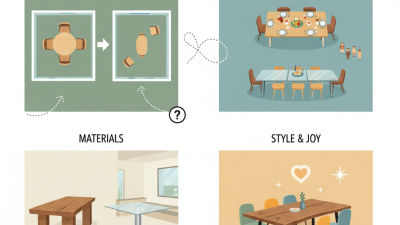
The best computer table depends on your room, equipment, and daily routine. A compact writing desk suits a laptop and small spaces, while an L-shaped table gives separate zones for a monitor and paperwork. Sit-stand tables allow position changes, but their adjustment range and stability matter more than extra features. Measure the room first. Leave space for the chair to slide back and for drawers to open fully.
Materials affect both durability and upkeep. Solid wood feels sturdy, though it can be heavy and may show scratches. Engineered wood often costs less, but check the edge finish and weight rating before buying. Metal frames can provide firm support; glass tops look light but reveal fingerprints quickly. Design matters, too. A rear cable opening can reduce clutter, while a shallow top may leave little room for a keyboard and notebook. A sleek table can look right online and feel cramped after a week, so verify the usable surface dimensions.
Tips: Compare tabletop depth, legroom, and storage against your actual setup. Measure your monitor stand, keyboard, and chair. Check whether the table wobbles under normal typing, and confirm that its height feels comfortable with your chair. A small tape outline on the floor can help you judge fit before purchase.
Evaluate Ergonomics, Storage, and Technical Features
A computer table should support your posture, not force you to adapt to it. Sit in your usual chair and check that your elbows rest near a right angle when your hands reach the keyboard. Your feet should stay flat, with enough knee room to shift position. Check the fit. A desk that feels comfortable for five minutes may become awkward after a full workday, so test it in your normal setup if possible.
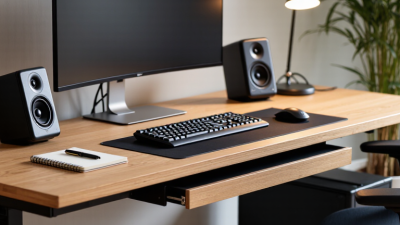
Storage matters most when it keeps essentials close without crowding your work surface. A shallow drawer can hold notebooks and chargers, while a side shelf may suit a desktop tower. Measure the items you plan to store; product photos rarely show how bulky equipment feels in a small room. Leave space for your legs and avoid placing frequently used supplies behind the monitor. Neat storage helps, but too many compartments can make a desk feel cramped.
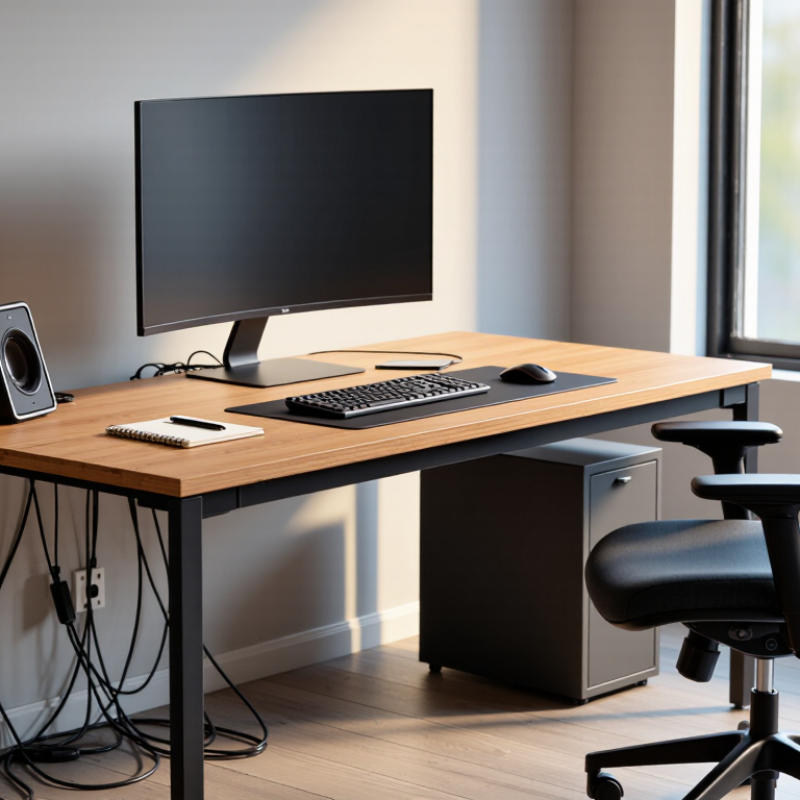
Look for practical technical features, such as cable openings, a sturdy power strip mount, and a surface that resists everyday spills. If you use a monitor arm, confirm that the tabletop can support its clamp and weight. Measure twice. A useful feature is only useful when it fits your equipment. I would not assume that a built-in charging port replaces a reliable outlet; ports can become outdated, and cable placement may still be inconvenient. Consider how your devices connect now, and leave a little room for the next change.
How to Choose the Best Computer Table for Your Office
Compare key ergonomic measurements, then check that the table provides enough storage and practical cable-management features.
How to use this: A seated desk height of 28–30 inches is a common starting point, but the right height depends on your body and chair. OSHA recommends positioning the monitor about 20–40 inches from your eyes. For storage and technical needs, check legroom, drawer clearance, cable routing, and access to power.
Monitor-distance guidance: U.S. Occupational Safety and Health Administration (OSHA), Computer Workstations eTool.
Set a Budget and Check Quality and Durability
A computer table can seem like a simple purchase, but low prices sometimes hide weak joints or thin surfaces. Set a budget before browsing, and include delivery, assembly, and useful extras such as a cable tray. Leave a little room for unexpected costs. A bargain that wobbles after a few months is not much of a bargain.
Check the materials and construction, not just the finish. Look for a top that resists everyday scratches and edges that feel firmly sealed. Metal frames should have secure connections, while wooden legs should sit level without rocking. Small details matter. If possible, press gently on each corner and inspect the underside for loose fittings. Read the stated weight limit and care instructions; a heavy tabletop alone does not guarantee durability. I once overlooked a rough edge, and it kept catching my sleeve. Not a major failure, but an annoying one.
Tips: Compare similar tables by total cost, material, and warranty terms. Check return conditions before ordering. Keep receipts. If a table feels slightly unstable in the showroom, ask whether its feet can be adjusted, or consider another model. Don’t stretch your budget for features you will rarely use; prioritize a steady surface, comfortable legroom, and a finish you can maintain.